

The 2026 Inscribe product updates risk teams should know about
Table of Contents
[ show ]- Loading table of contents...


The first half of 2026 was a busy one at Inscribe. We shipped new capabilities that help financial institutions detect document fraud faster, investigate suspicious applications with agentic AI, define institution-specific risk signals, and bring document fraud detection directly into existing decision workflows.
Document fraud is evolving quickly as fraudsters use generative AI to create and manipulate financial documents. Effective document fraud detection now requires more than isolated detectors. It requires agentic AI that can evaluate evidence across documents, reason about suspicious patterns, and explain why an application appears risky. These releases continue our investment in helping banks, credit unions, fintechs, and lenders catch more fraudulent documents while reducing manual review.
Here's a look at what's new.
Inscribe Assistant
Your AI co-pilot inside Inscribe
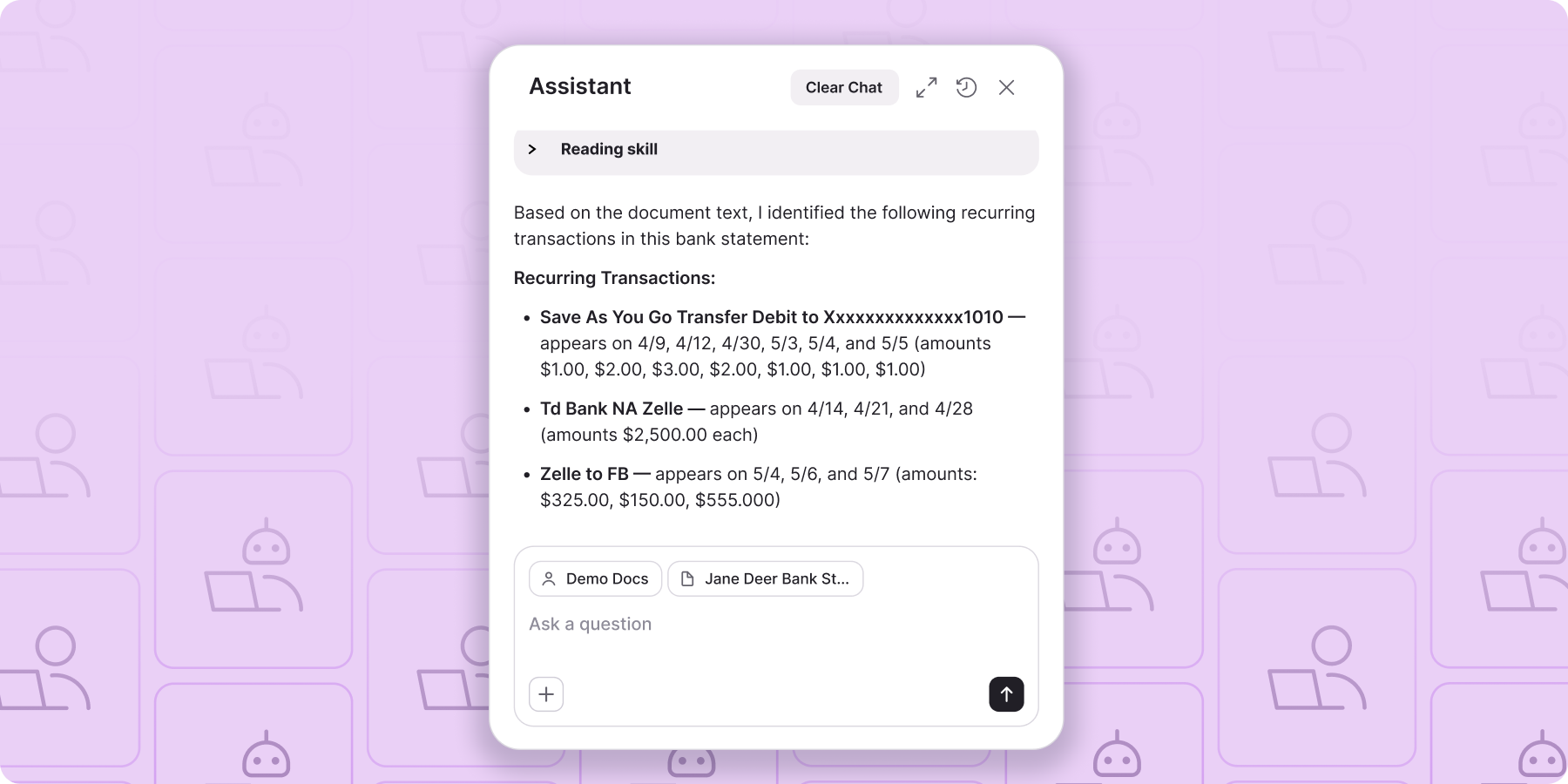
Risk teams often need a second opinion during a review. That might mean understanding why a document was flagged, checking whether bank statement activity aligns with policy, reconciling figures across documents, or looking for signs of coordinated fraud across multiple submissions. The Assistant is built for those moments.
You can ask the Assistant questions in plain language and get answers grounded in the documents, fraud signals, and customer information already available in your Inscribe workspace.
For example, you can ask:
- Why was this document flagged?
- Do these bank statements contain gambling or crypto activity?
- Compare all documents submitted by this customer and identify inconsistencies.
- Have we seen similar submissions recently that could indicate coordinated fraud?
The Assistant can also perform calculations, reconcile figures across documents, and help investigators quickly understand the context behind a fraud signal without jumping between screens or manually reviewing every document.
Available throughout the Inscribe web app, the Assistant can be accessed from the top-right corner of any screen, the Customer view, the Document view, or directly from a fraud signal. Wherever you're investigating risk, it's only a click away.
The result: Reviewers spend less time gathering context and more time making decisions.
Custom Transaction Insights
Define your own risk signals
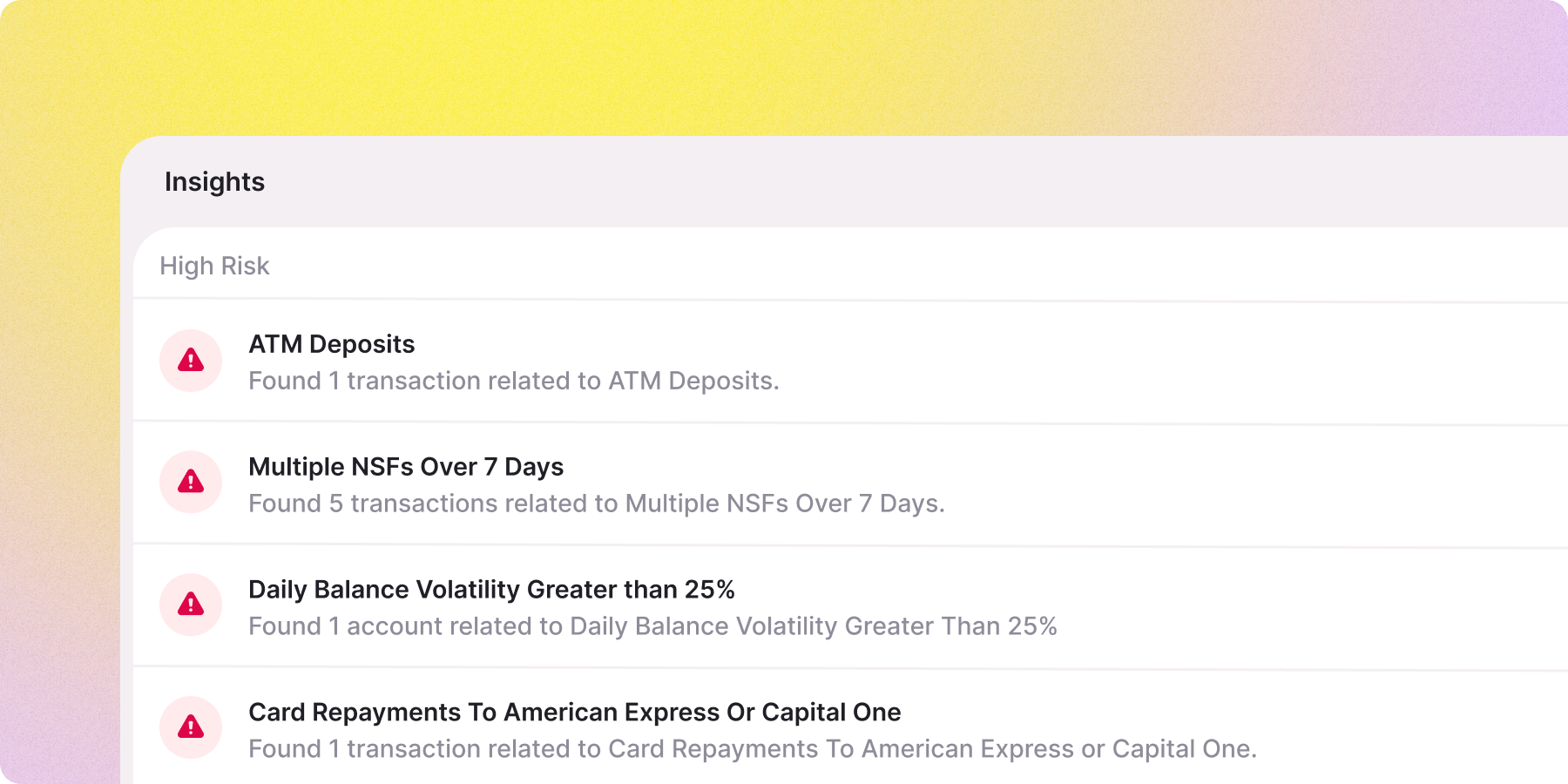
Off-the-shelf detection can only tell you what a platform was trained to flag. But every institution has its own risk policies, thresholds, and fraud patterns. A transaction that looks suspicious to one lender may be expected behavior for another.
Custom Transaction Insights let your team define exactly what bank statement activity you want Inscribe to detect.
You can build rules based on transaction categories, merchants, payment processors, payment methods, transaction amounts, timeframes, and much more.
For example, you might create signals that:
- Flag applicants with more than $500 in gambling transactions over the last 30 days.
- Detect accounts with average daily balances below a defined threshold.
- Identify unusual balance volatility compared to a rolling average.
- Flag applicants receiving a significant percentage of deposits through peer-to-peer payment platforms.
Before deploying a signal, you can backtest it against your existing applicant population to understand how many customers would have been flagged and evaluate its effectiveness.
Once your signals are live, Inscribe continuously analyzes transaction activity automatically. Analysts no longer need to manually review statements for institution-specific criteria or maintain separate review checklists.
Instead of relying solely on generic fraud indicators, your team can evaluate bank statements through the lens of your own policies and risk appetite.
The result: More consistent reviews, less manual analysis, and document fraud detection tailored to your business.
Configurable Decision Engine
More control over detection accuracy
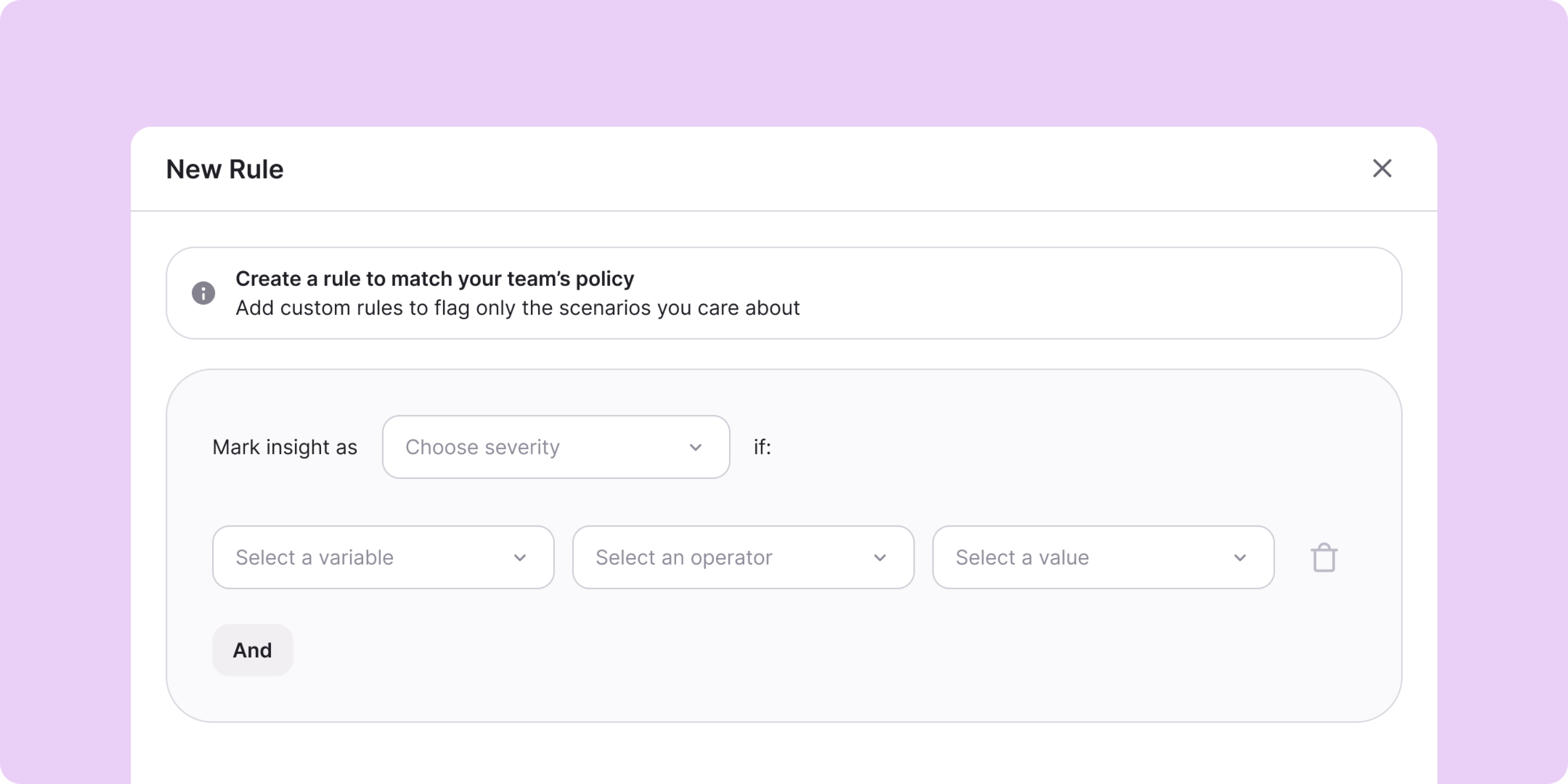
Fraud patterns change over time, and document fraud detection should be able to change with them.
The Decision Engine gives risk teams more flexibility to tune Inscribe around the fraud they're seeing, rather than relying on a fixed set of rules built for a generic risk profile.
You can:
- Tune detector severities
- Customize decision logic
- Manage blocklists
- Incorporate custom transaction insights
- Incorporate custom document insights
- Tailor acceptance criteria to your institution's risk strategy
As your team learns which signals are most predictive of fraud, the Decision Engine allows you to refine how those signals influence decisions.
Result: Document fraud detection that becomes more precise over time, helping reduce false positives, catch more true fraud, and better reflect how risk actually appears in your application queue.
Inscribe and Taktile Integration
Agentic document fraud detection in your decision workflow

For teams using Taktile to manage decision workflows, Inscribe's agentic document fraud detection is now available directly inside the Taktile platform.
This makes it easier to evaluate documents earlier in the decision process, automatically route legitimate applications through faster paths, and focus manual review resources on the highest-risk submissions.
By bringing Inscribe directly into existing workflows, teams can operationalize fraud signals without adding additional review steps or requiring analysts to switch between platforms.
Result: Faster decisioning, fewer workflow handoffs, and more consistent fraud controls across the application lifecycle.
Dark Mode
A personal favorite
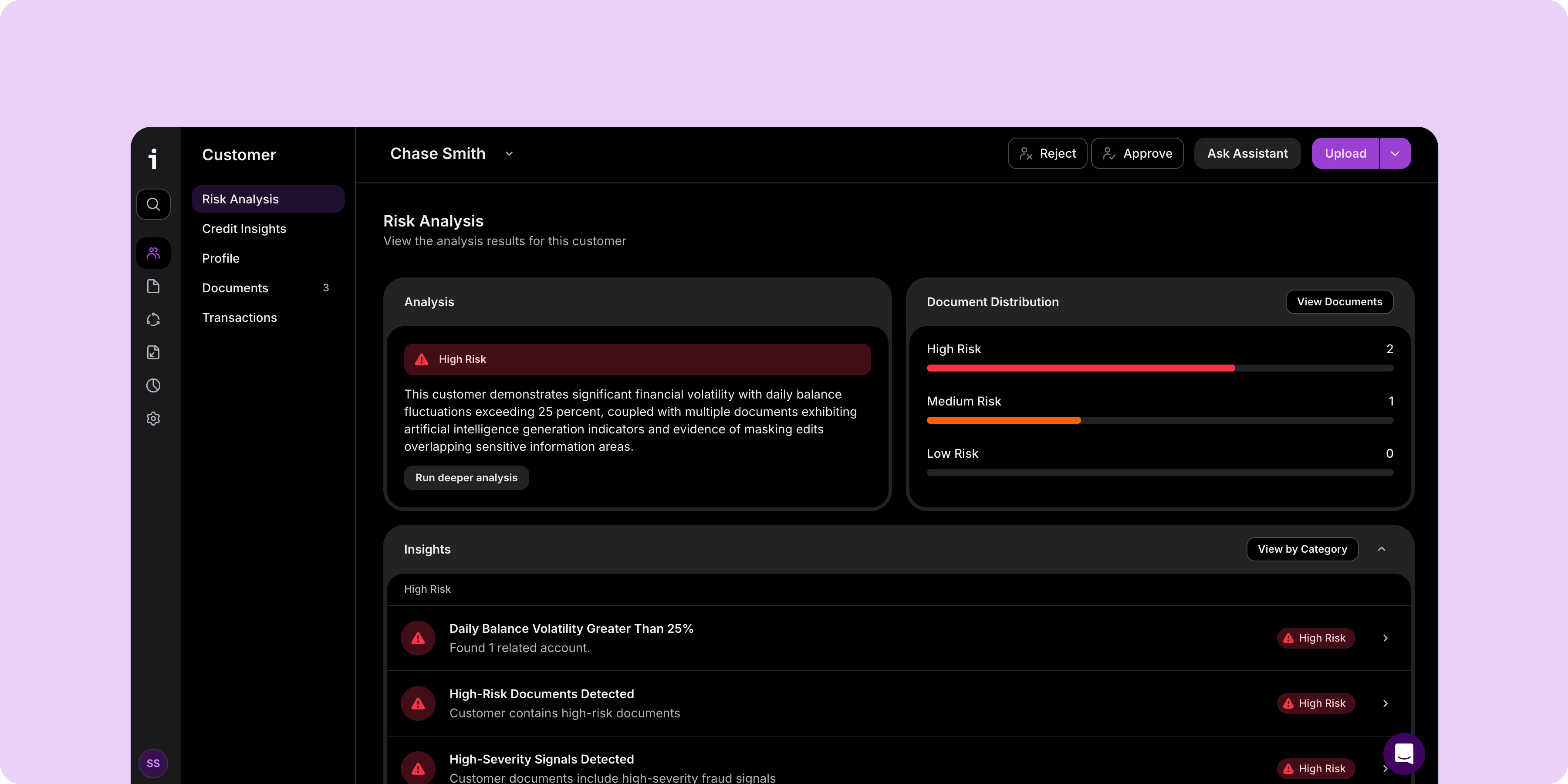
I'll admit some bias on this one. I love and only use dark mode, so it felt worth calling out! It's a small addition compared to some of the releases above, but one that makes review sessions a little easier on the eyes.
Inscribe now supports a consistent light and dark mode experience across the application, automatically adapting to your browser settings. Current and future experiences are designed to work seamlessly across both themes.
Result: A more comfortable review experience for analysts investigating applications and documents.
Want to see any of these updates in action?
Whether you're looking to speed up investigations with our Assistant, create institution-specific transaction signals, fine-tune fraud detection logic, or embed Inscribe directly into your decision workflows, we'd love to show you what's new.
If you're an existing customer and would like a walkthrough of any of these releases, reach out to your Customer Success manager. If you're new to Inscribe, book time with our team!
You can also explore our Demo Center or read the full 2026 Document Fraud Report.
FAQ

Agentic AI helps investigators move beyond individual fraud signals by answering questions about documents, customer information, and suspicious activity using natural language. With the Inscribe Assistant, teams can understand why a document was flagged, compare submissions, identify inconsistencies, analyze bank statement activity, and investigate potential coordinated fraud without manually piecing together information across multiple screens.
Yes. Inscribe allows financial institutions to create institution-specific fraud signals using Custom Transaction Insights and configure how those signals influence decisions through the Decision Engine. Teams can build rules around transaction behavior, balances, merchants, payment methods, and other criteria that reflect their own risk policies.
Yes. Custom Transaction Insights can be backtested against your existing applicant population before deployment. This allows teams to understand how many applications would have been flagged, evaluate performance, and refine fraud detection rules before enabling them in production.
The Configurable Decision Engine gives risk teams more control over how document fraud detection works. Teams can tune detector severities, customize decision logic, manage blocklists, and incorporate custom fraud signals so detection reflects their institution's risk strategy rather than a one-size-fits-all model.
Yes. Inscribe integrates with decision platforms like Taktile so document fraud detection becomes part of existing underwriting and onboarding workflows. Fraud signals are returned automatically, helping teams route low-risk applications faster while focusing manual review on higher-risk submissions.
Together, these updates automate many of the tasks analysts perform manually today. The Assistant provides investigation context, Custom Transaction Insights automate institution-specific checks, the Decision Engine tailors fraud detection to your risk strategy, and the Taktile integration embeds document fraud detection directly into existing decision workflows.
Fraudsters are increasingly using generative AI to create and manipulate financial documents. Effective document fraud detection now requires more than isolated detectors. It requires agentic AI that can evaluate evidence across documents, reason about suspicious patterns, and explain why an application appears risky. These product updates help financial institutions catch more fraudulent documents while reducing manual review.
About the author
Stephanie Spangler is the Head of Product Marketing at Inscribe, where she covers AI-powered fraud detection, document risk, and how financial institutions are adopting agentic AI. She writes on the intersection of product and practice — translating what fraud detection technology does into what it means for the risk teams using it.
What will our AI Agents find in your documents?
Start your free trial to catch more fraud, faster.