

Meet the AI Assistant helping risk teams investigate document fraud faster
Table of Contents
[ show ]- Loading table of contents...


Document fraud investigations require you to explain fraud signals, compare documents, verify financial information, and identify suspicious patterns before making a decision. The Inscribe Assistant helps you complete these investigations faster through conversational AI that's grounded in your documents, customers, and fraud signals.
At Inscribe, we've always believed great document fraud detection software should make investigations both accurate and easy to understand. Inscribe already surfaces fraud signals clearly the moment you open a review. The Assistant takes that a step further by helping you explore evidence, validate findings, and investigate suspicious documents without leaving your workflow.
Why we introduced an AI Assistant
Sometimes you want a second opinion before making a decision. Sometimes you need to compare documents, verify a calculation, or understand why a customer was marked high risk.
Instead of waiting on a colleague or digging through multiple tools, you can simply ask the Assistant.
There's no context switching and no waiting for answers. Just fast, precise responses grounded in the documents, fraud signals, and customer information already available in your Inscribe workspace.
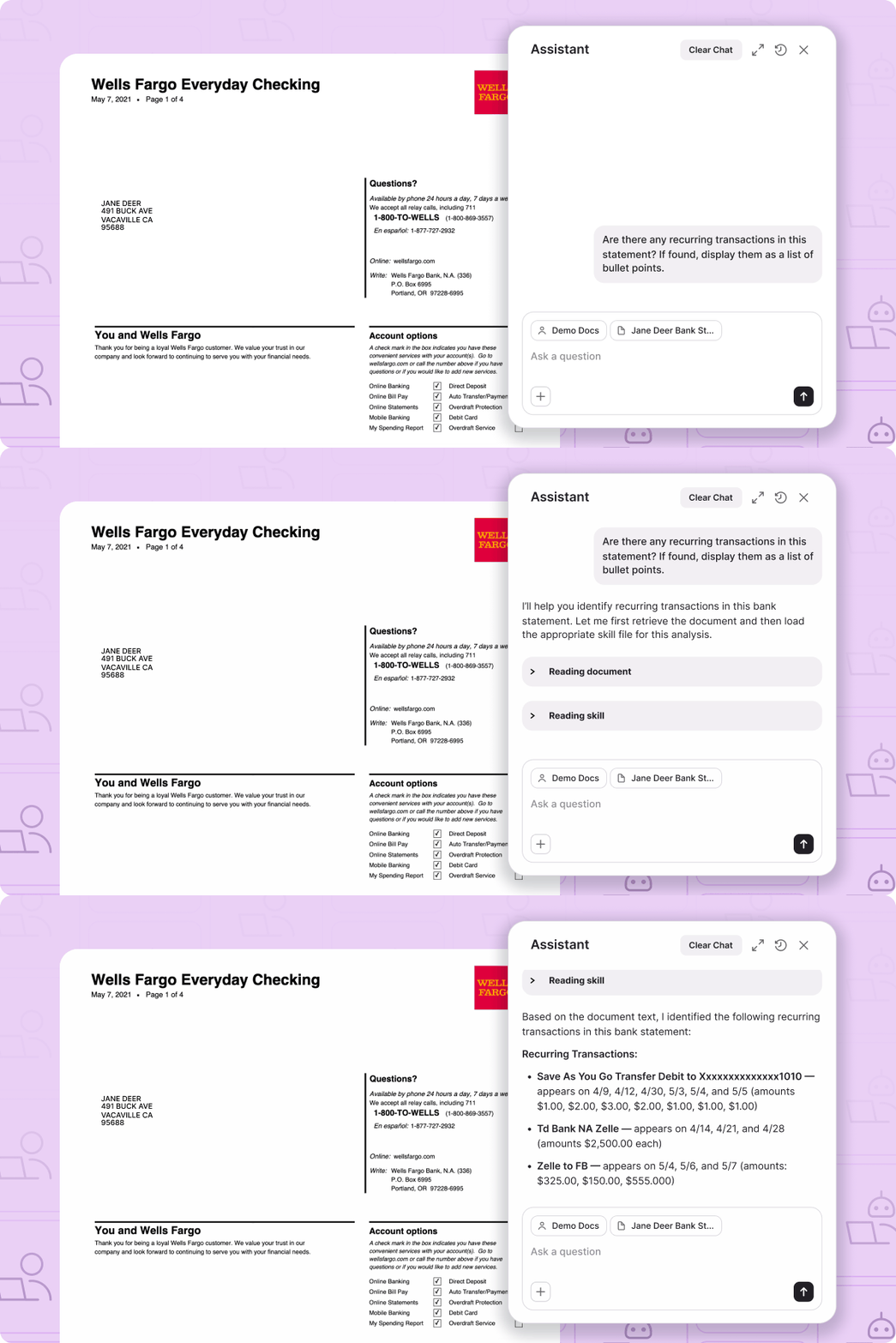
How the Assistant helps investigate document fraud
Think of the Assistant as your AI investigation partner inside Inscribe. Ask questions the same way you would ask a teammate and receive answers tailored to the customer or document you're reviewing.
You can ask the Assistant to:
- Explain a document fraud signal in plain language
- Compare documents uploaded by a customer
- Reconcile figures on a bank statement
- Search for suspicious transaction activity
- Identify trends that could indicate a fraud ring
- Summarize customer risk
- Validate calculations across financial documents
Every response is grounded in the documents and fraud signals in your workspace, helping you move from detection to investigation faster.
Whether you're reviewing bank statements, pay stubs, invoices, tax forms, utility bills, business filings, or identity documents, the Assistant helps you find the evidence that matters most. Whether you're investigating document manipulation, AI-generated documents, suspicious transactions, or inconsistencies across multiple submissions, you can ask questions naturally and get answers in seconds.
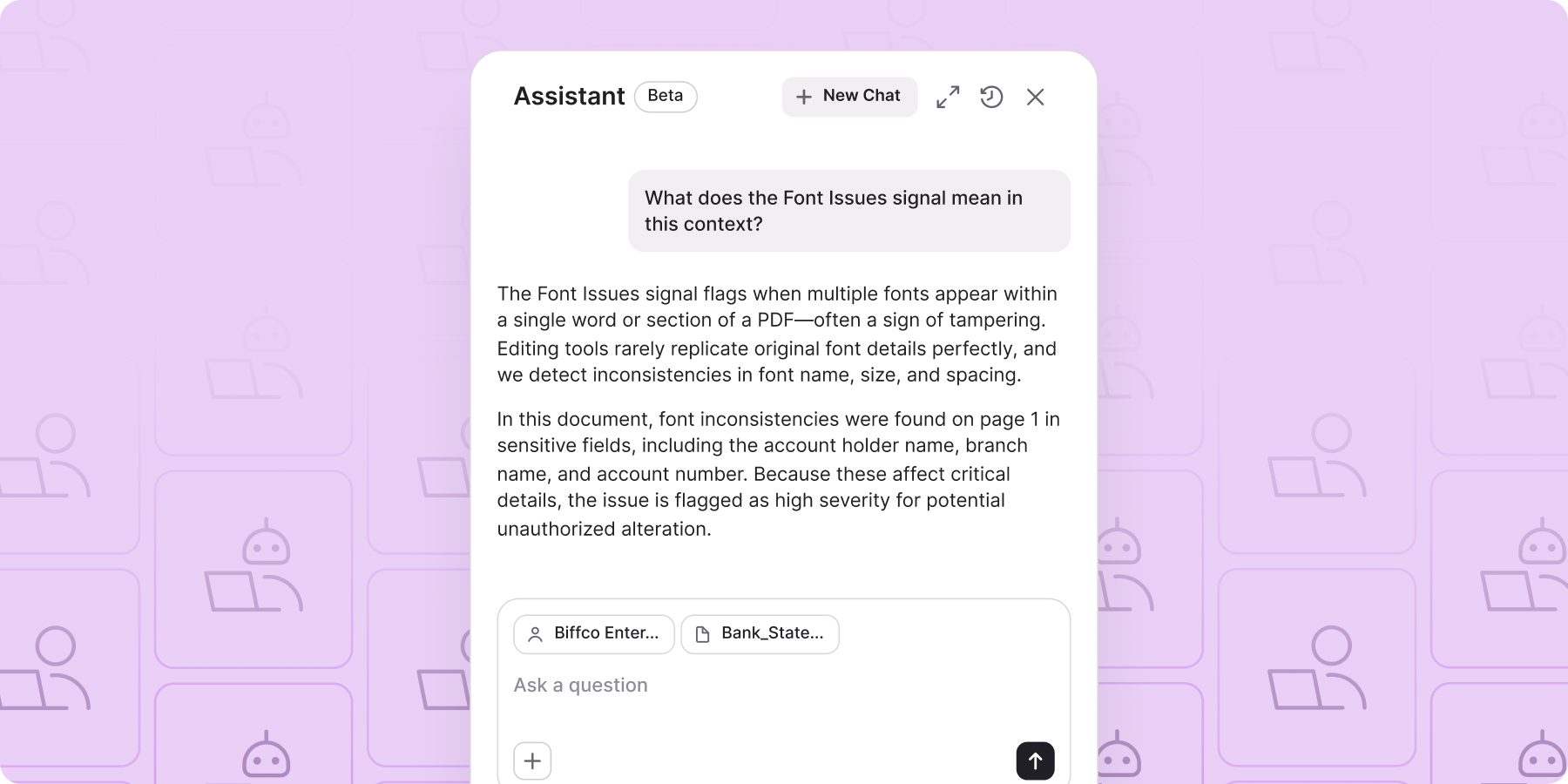
Common AI prompts for document fraud investigations
Not sure where to start? Here are some of the questions teams ask most often.
- What does the Fingerprint fraud signal mean?
- Are there any gambling transactions in this bank statement?
- Can you find trends in fraud signals that could indicate a fraud ring?
- Explain why this customer was marked high risk.
- Compare these two bank statements for inconsistencies.
- Are there signs this document was edited?
- Summarize the key fraud risks for this customer.
- Compare income across all uploaded documents.
- What evidence supports this fraud decision?
- Explain this document fraud signal in plain language.
You can also ask the Assistant to reconcile figures, validate totals across multiple pages, and perform calculations that would otherwise require manual work. If you want to pressure-test a figure, verify a calculation, or better understand why a fraud signal was raised, simply ask.
The Assistant isn't limited to these prompts. If you have a question about a document, customer, or fraud investigation, just ask. Not sure where to begin? Start with one of the built-in prompts available throughout Inscribe.
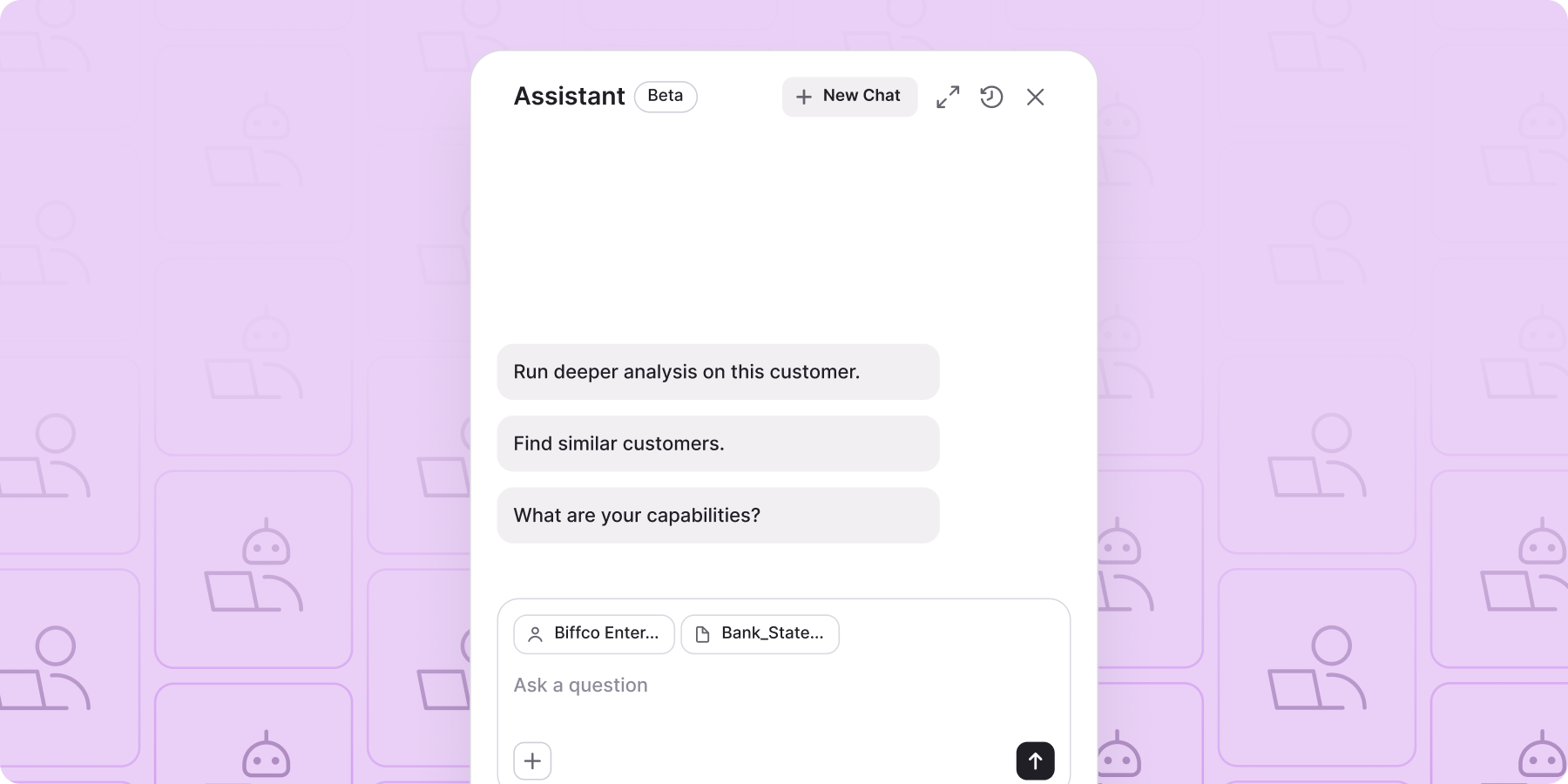
How the AI Assistant reduces manual fraud reviews
Reviewing documents manually means comparing multiple files, reconciling financial figures, interpreting fraud signals, and searching for supporting evidence. As document volume grows, those repetitive tasks quickly add up.
The Assistant helps you complete that investigative work faster by answering questions in natural language while remaining grounded in the evidence already available in Inscribe. Instead of spending time searching for information or performing manual calculations, you can focus on making confident fraud decisions.
The Assistant doesn't replace your judgment. It helps you investigate more efficiently by bringing together document analysis, fraud signals, and supporting evidence in one place.
Using the Assistant during document reviews
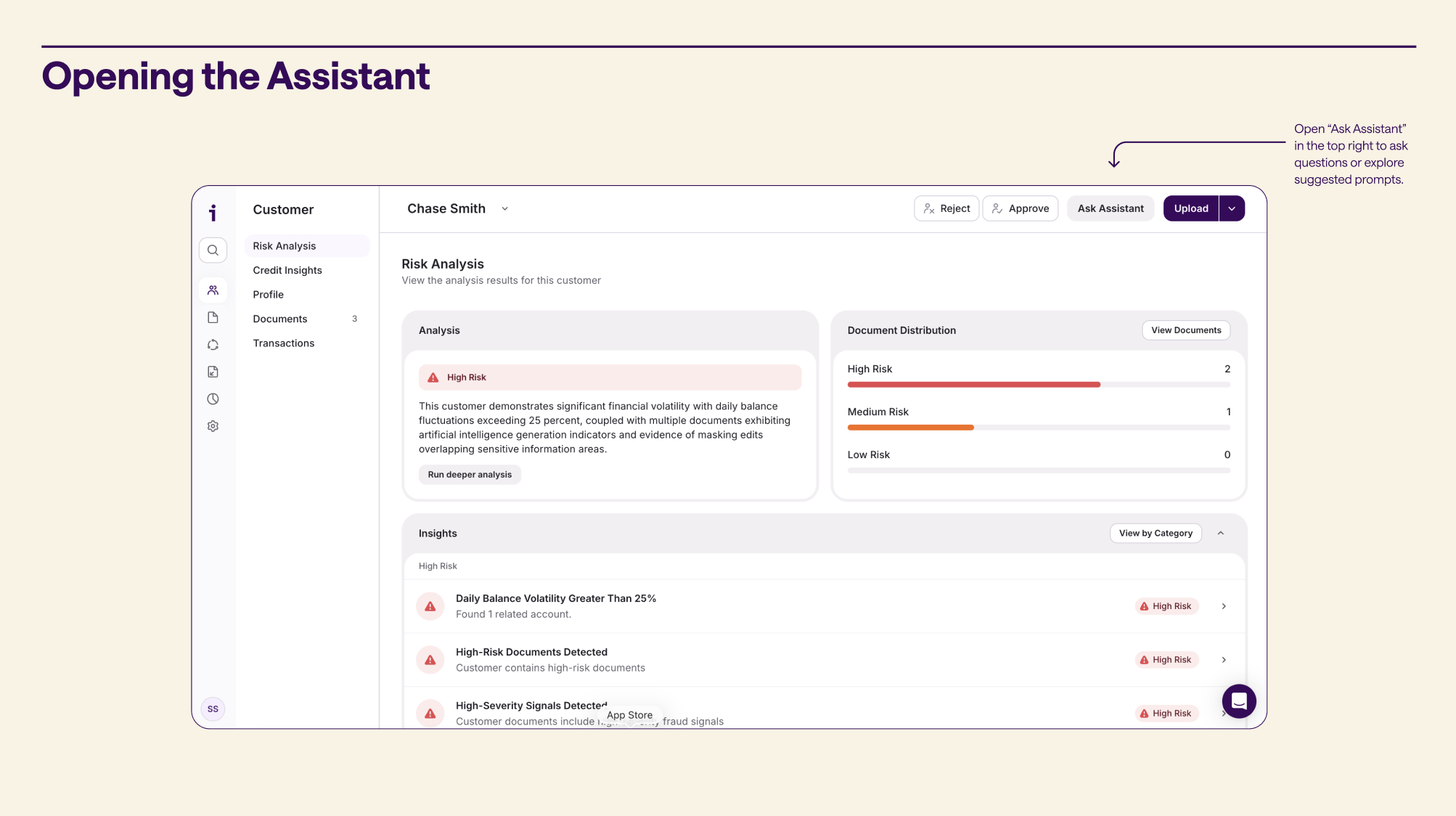
You can access the Assistant throughout the Inscribe web application, including from the Customer view, the Document view, or directly from a fraud signal whenever you want more context.
Because it's embedded directly into your investigation workflow, you can ask questions without switching tools or losing context. Whether you're reviewing a single document or investigating fraud across multiple customers, the Assistant is always within reach.
And this is just the beginning. Soon, the Assistant will be able to take action on your behalf, performing tasks directly within Inscribe so you can move even faster.
Interested in learning more? Book time with us.
FAQ

The Inscribe AI Assistant helps risk teams investigate document fraud faster by explaining fraud signals, analyzing suspicious documents, identifying transaction anomalies, comparing uploaded documents, and answering questions about customer risk using conversational AI grounded in your data.
AI helps automate time-consuming parts of document fraud investigations, including explaining fraud signals, identifying suspicious patterns, comparing documents, validating financial information, and surfacing evidence that might otherwise require manual review.
The Assistant helps investigators analyze uploaded documents, explain fraud indicators, reconcile financial figures, identify suspicious transaction activity, compare multiple documents, and uncover trends linked to fraud rings, reducing manual review time while improving investigation speed.
The Assistant can explain fraud signals related to document manipulation, AI-generated documents, identity inconsistencies, suspicious transactions, metadata anomalies, behavioral risk patterns, and other indicators surfaced during document fraud reviews.
Yes. The Assistant can help investigators analyze bank statements by identifying suspicious transaction activity, explaining transaction patterns, reconciling balances, validating financial figures, and answering questions about spending behavior.
Yes. The Assistant can compare documents uploaded by the same customer to identify inconsistencies, conflicting information, unusual patterns, or other signals that may indicate document fraud.
Yes. The Assistant can identify suspicious transaction patterns in bank statements, including gambling activity, inconsistent income behavior, unusual transfer activity, repeated transactions, and other financial behaviors commonly associated with fraud risk.
The Assistant can help investigators uncover patterns across customers and fraud signals that may indicate coordinated fraud activity or potential fraud rings, making it easier to identify related cases.
Risk teams use the Assistant to investigate suspicious documents, validate financial information, explain fraud signals, summarize investigations, compare evidence across documents, and accelerate manual review workflows without switching between multiple tools.
The Assistant can help investigate many of the document types commonly used in financial services, including bank statements, paystubs, tax forms, invoices, utility bills, business filings, identity documents, and other financial documents uploaded for review.
About the author
Stephanie Spangler is the Head of Product Marketing at Inscribe, where she covers AI-powered fraud detection, document risk, and how financial institutions are adopting agentic AI. She writes on the intersection of product and practice — translating what fraud detection technology does into what it means for the risk teams using it.
What will our AI Agents find in your documents?
Start your free trial to catch more fraud, faster.